Which printer do you want? You tell me!
Table of contents
- Introduction
- Comparison between a good and a bad printer table
- Printer list
- Printer comparison table
- Conclusion
- Sources
As a consumer, you always want to get the most out of your money. It‘s the same thing with printers.
You, my dear reader, are a student, a desperate student, a student who would kill to get a printer because you need one for high school (and also because Mr. Arkin told you so). The problem however, is that you are hopeless at selecting printers. You want to get a great printer, but you also don‘t want to see your wallet deflate.
Balance is the key to success. You can buy a ten dollar printer that would break down the moment you print, or a 2000 dollar printer that would rip your parents of their salary. Both are not good solutions.
So therefore to solve your problems, I, a student forced by Mr. Arkin to write this guide, spent quite some time in providing you precious information on the world of printers. Perhaps the dream of owning your own little printer will come true!
There are many types of printers, from industrial to commercial, but for a student, only a few can do its job at the highest efficiency.
So let‘s start off. What is a good printer?
A comparison of a good and a bad printer
| A good printer |
A bad printer |
The preferable printer for your situation |
- 1+ year warranty
- A long lifespan
- Eco-friendly
- Efficient
- Suitable for the job
- User-friendly
- Many features
- Minimal maintenance
- Affordable pricing
- Does not consume too much ink/toner
- High printing quality
|
- No warranty
- Short lifespan; gears breaks down easily
- Wastes energy
- Inefficient
- Totally unsuitable for the job
- Very complex manuals; user has no clue what to do
- No extra features
- Maintenance often needed
- Totally expensive
- Using too much ink/toner
- Smudging; streaking; low-quality
|
- 1+ year warranty
- At least a 5 year lifespan
- Saves energy
- User-friendly
- Maybe one or two extra features
- Colour printing available
- Minimal maintenance
- Low toner/ink usage per page
- Low cost per page
- Fair printing quality
- Affordable pricing
|
Looking at this, you might say to yourself, “Oh my goodness, where in the world would I get a printer that would fit perfectly into the good section?” Well the answer is, it depends on your budget. Obviously the quality of the printer would increase as the price increases.
You must realize. Price is important, but not the most important. At the same time, quality is not absolute. So what does that mean? It means that if you are going to use your printer a lot, don‘t get a cheap printer with a tiny amount of ink, get a good one. If you barely use a printer, then a moderate one will do just fine. Remember, the quality and price is relational to the purpose of the printer.
Here is a complete description of your situation: you are a grade 9 student in desperate need of a printer. You intend to keep this printer for all four years of your high school education. This printer is mainly for your use at school. You have a limited budget, but you still want to get good value for your money. So you‘ve come to me for help.
According to your situation, I did some researches and found 4 very good printers:
If you simply want to hop to the comparison tables, click here.
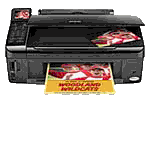
Epson Stylus NX515
Basic information:
- Price: $99.98 (by Amazon)
- Tax (HST= 13%): $13.00
- Price after tax (HST= 13%): $112.98
- Price of black ink cartridge: $18.99 ($21.46 after tax), lasts approximately 245 prints
- Price of colour ink cartridge: $43.95 (49.66 after tax), for all three colour inks.
- Functions: Prints, scans, and copies
- Projected printing volume per year (black): 500
- Projected printing volume per year (colour): 20
- Projected black ink cartridge usage per year: 2
- Expected lifespan: Not provided
- Where to buy: Amazon.com; Shipping is free for items over $25. Prices as of 20/11/10. Click here to proceed to the website.
- In stock: Yes
- Manufacturer: Epson
- Part number: C11CA48231
- Printing technology: Ink-jet - Colour
- Weight: 15.2l lbs
- Ink cartridge configuration: 4 cartridges (1 each: cyan, magenta, yellow, black)
- Print quality: Up to 5760 x 1440 dpi (mono) / up to 5760 x 1440 dpi (colour)
- Copy/Scan resolution: 2400 x 2400 dpi
- Max printing/copying speed: 36 pages/min
- Max printing/copying size: 8.5 in x 11 in
- Preferred printing paper: Letter A Size (8.5 in x 11 in)
- Recommended printing paper: 8.5" x 11", 8.5" x 14", A4, B5, A5, A6
- Paper price: 1 cent/page
- Consumables included: 1 x Cartridge ( Black ) - Epson T069, 1 x Cartridge ( Cyan ) - Epson T069, 1 x Cartridge ( Yellow ) - Epson T069, 1 x Cartridge ( Magenta ) - Epson T069
- Wireless: Yes
- Intended use: Network
- Cables: Included
- PC connection availability: Yes
- Warranty: One year
- Energy star qualified: Yes
- Overall quality rating (out of 10): 8.5
- Description: For such a good quality printer, the price is very modest. This printer has outstanding printing quality, not to mention the minimal ecological footprint of the machine, but at the same time this machine much more efficient than other $150 printers. The downside to this however, is that the cost per page is a bit higher.
- My opinion: Wow, such a stylish printer! The price is just right, at $100 dollars. If I were in charge, I‘d definitely get one of these. This machine would be the perfect sidekick to nearly any home computer, especially for students. I‘ve also heard that there are a lot of features in this printer, such as auto fitting the printing content to page.
For full details and specifications, please follow this link: Epson Stylus NX515 specifications
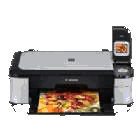
Canon Pixma MP560
Basic information:
- Price: $149.99 (by Dell)
- Tax (HST= 13%): $19.50
- Price after tax (HST= 13%): $169.49
- Price of black ink cartridge: $5.99, $6.77 after tax (Lasts approximately 324 prints)
- Price of colour ink cartridge (cyan, magenta, yellow): $5.99 each ($6.77 after tax), $17.97 for all three ($20.31 after tax).
- Functions: Prints, scans, and copies
- Projected printing volume per year (black): 500
- Projected printing volume per year (colour): 20
- Projected black ink cartridge usage per year: 1.5
- Expected lifespan: Not provided
- Where to buy: Dell. Free shipping. Price as of 20/11/10. Click here to proceed to the website.
- In stock: Yes
- Manufacturer: Canon
- Part number: 3747B002
- Printing technology: Ink-jet - Colour
- Weight: 17.9 lbs
- Ink cartridge configuration: 5 individual ink tanks
- Print quality: Up to 600 x 600 dpi (mono) / up to 9600 x 2400 dpi (colour)
- Copy/Scan resolution: 2400 x 4800 dpi
- Max printing/copying speed: 9.2 pages/minute
- Max printing/copying size: 8.5 in x 11.7 in
- Preferred printing paper: Size 8.5 in x 11.7 in
- Recommended printing paper: A4, B5, A5
- Paper price: 1 cent/page
- Consumables included: 1 x Ink tank ( Black ) - Canon CLI-221BK, 1 x Ink tank ( Pigmented black ) - Canon PGI-220BK, 1 x Ink tank ( Cyan ) - Canon CLI-221C, 1 x Ink tank ( Magenta ) - Canon CLI-221M, 1 x Ink tank ( Yellow ) - Canon CLI-221Y
- Wireless: Yes
- Intended use: Network
- Cables: Included
- PC connection availability: Yes
- Warranty: 1 year
- Energy star qualified: Yes
- Overall quality rating (out of 10): 8
- Description: You‘ll immediately notice the beautiful 2 inch LCD screen on the printer along with its dual paper tray. It looks fantastic, and its wireless! An average home will find this perfect. However, nothing is perfect. The Canon Pixma MP560 has mediocre printing speeds, and other competition claims that they produce higher quality for less. Ironically, the user rating for this product is very high.
- My opinion: So what if this printer is slow? As a student, we don‘t need it to print that fast. This is would only be for personal/home use. What makes up for the speed are the extra features. I would love to print straight from my USB, that‘d be great!
For full details and specifications, please follow this link: Canon Pixma MP560 specifications
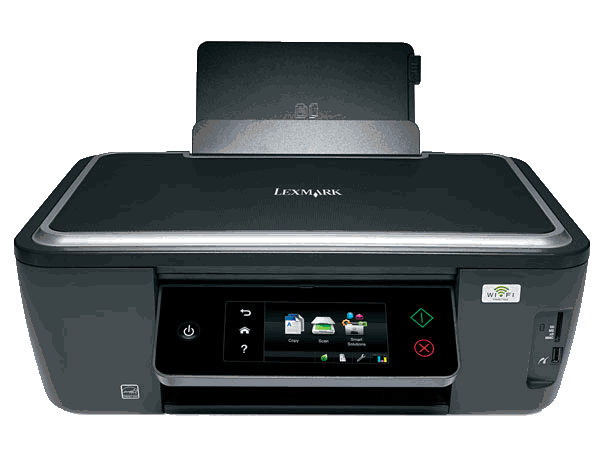
Lexmark Interact S605
Basic information:
- Price: $199.98 (By Staples)
- Tax (HST= 13%): $26.00
- Price after tax (HST= 13%): $225.98
- Price of black ink cartridge: $7.49, $8.46 after tax (Lasts approximately 500 prints)
- Price of colour ink cartridge (cyan, magenta, yellow): $7.49 each ($8.46 after tax), $22.47 for all three ($25.39 after tax).
- Functions: Prints, scans, and copies
- Projected printing volume per year (black): 500
- Projected printing volume per year (colour): 20
- Projected black ink cartridge usage per year: 1
- Expected lifespan: Not provided
- Where to buy: Your local Staples store or at their website. Delivery is free for items over $50. Price as of 11/19/10.
- In stock: Yes
- Manufacturer: Lexmark
- Part number: 60S0000
- Printing technology: Ink-jet - Colour
- Weight: 16.5 lbs
- Ink cartridge configuration: 4 cartridges (1 each: cyan, magenta, yellow, black)
- Print quality: Up to 2400 x 1200 dpi (mono) / up to 4800 x 1200 dpi (colour)
- Copy/Scan resolution: 1200 x 2400 dpi
- Max printing/copying speed: 25-33 pages/min (mono), 21-30 pages/min (colour)
- Max printing/copying size: 8.5 in x 17 in
- Preferred printing paper: None specified
- Recommended printing paper: Standard. 11 inches x 8.5 inches. Brightness: 92. Type: A4.
- Paper price: 1 cent/page
- Consumables included: 4 x ink cartridges (one of each: black, cyan, magenta, yellow)
- Wireless: Yes
- Intended use: Network
- Cables: Included
- PC connection availability: Yes
- Warranty: 3 years
- Energy star qualified: Yes
- Overall quality rating (out of 10): 9
- Description: Really, the only bad thing about this printer are that the photo quality is not as good as kiosk, and the menu choice icons for the touch-screen LCD look a bit childish. What more could you ask for? This printer prints better than other $200-$300 laser printers. Just try to find another printer at this price. That‘s right, you can‘t!
- My opinion: First impression: W to the O to the W. WOW. I‘m really getting to know printers. After reading so many reviews and specifications, I think my head‘s going to explode. I do know one thing though, and that is that this is one of the best printer I‘ve seen. The 3 year warranty shows that the product is reliable and that it has a long lifespan. The LCD screen is user friendly and the quality of the printing is just as good as the more expensive ones, not to mention that it is wireless and has fast printing speeds. I wish I had one of these.
For full details and specifications, please follow this link: Lexmark Interact S605 specifications
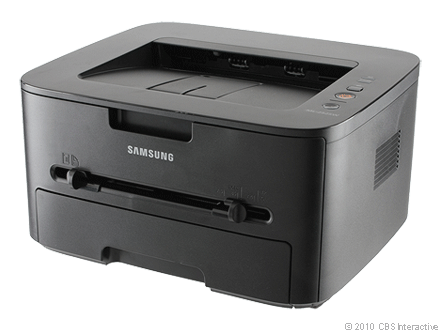
Samsung ML-2525W Laser printer
Basic information:
- Price: $160.99 (by J&R.com)
- Tax (HST=13%): $20.93
- Price after tax (HST=13%): $181.92
- Price of black toner: $48.99 ($55.35 after tax), lasts around 2500 prints (Approximate).
- Functions: Prints
- Projected printing volume per year (black): 500
- Projected printing volume per year (colour): Printer cannot print colour
- Projected black ink cartridge usage per year: 0.2
- Expected lifespan: Not provided
- Where to buy: J&R.com. Free shipping. Price as of 20/11/10. Click Here to proceed to the website.
- In stock: Yes
- Manufacturer: Samsung
- Part number: ML-2525W
- Printing technology: Laser Printer
- Weight: 16.9 lbs
- Ink cartridge configuration: Toner
- Print quality: 1200 x 1200 dpi
- Copy/Scan resolution: Printer cannot scan/copy
- Max printing/copying speed: 20 pages/min
- Max printing/copying size: N/A
- Preferred printing paper: A4, A5, A6, B5
- Paper price: 1 cent/page
- Consumables included: 1000 page starter toner package
- Wireless: Yes
- Intended use: Network
- Cables: included
- PC connection availability: Yes
- Warranty: 1 year limited
- Energy star qualified: Yes
- Overall quality rating (out of 10): 7
- Description: Great, clean, crisp design. Very user friendly has an easy setup, perfect for clueless students nowadays. It is also very quiet, so it won‘t drive your parents crazy when you bizarrely print out all your ICS codes. The quality of the print is very good and the ecological footprint is small as well. Ahh, time for the downside. The toner capacity is kind of a let-down, there should really be some more. I really don‘t want to change toner that often. This printer is also just a simple monotone black-only printer. It cannon print colours. Even though that is bad, but it also means that you‘d save money on toner. This is one of the cheapest laser printers.
- My opinion: If you refuse to sacrifice quality for affordability, then this printer is for you. Although the toner capacity is small, the quality is great. What‘s more? It‘s a laser printer! I like laser printers! This printer only prints in black though, so if you‘re a big fan of colours, this printer is not for you.
For total details and specifications, please follow this link: Samsung ML-2525W specifications
The printer comparison table
| Categories of comparison |
List of printers |
| Printers |
Epson Stylus NX515 |
Canon Pixma MP560 |
Lexmark Interact S605 |
Samsung ML-2525W Laser printer |
| Pictures |
|
|
|
|
| Features |
| Manufacturer: |
Epson |
Canon |
Lexmark |
Samsung |
| Part number: |
C11CA48231 |
3747B002 |
60S0000S |
ML-2525W |
| Printing technology: |
Ink-jet - Colour |
Ink-jet - Colour |
Ink-jet - Colour |
Laser Printer |
| Functions: |
Prints/Scans/Copies |
Prints/Scans/Copies |
Prints/Scans/Copies |
Prints |
| Expected Lifespan: |
N/A |
N/A |
N/A |
N/A |
| Weight: |
15.21 lbs |
17.9 lbs |
16.5 lbs |
16.9 lbs |
| Ink cartridge configuration: |
4 cartridges (1 of each: cyan, magenta, yellow, black) |
5 individual ink tanks |
4 cartridges (1 of each: cyan, magenta, yellow, black) |
Toner cartridge |
| Max print resolution |
Up to 5760 x 1440 dpi (mono) / up to 5760 x 1440 dpi (colour) |
Up to 600 x 600 dpi (mono) / up to 9600 x 2400 dpi (color) |
Up to 2400 x 1200 dpi (mono) / up to 4800 x 1200 dpi (colour) |
Up to 1200 x 1200 dpi (mono) |
| Copy/Scan resolution |
2400 x 2400 dpi |
2400 x 4800 dpi |
1200 x 2400 dpi |
Printer cannot scan/copy |
| Max printing/copying speed: |
36 pages/min |
9.2 pages/min |
25-33 pages/min |
20 pages/min |
| Max printing/copying size: |
8.5 in x 11 in |
8.5 in x 11.7 in |
8.5 in x 17 in |
N/A |
| Preferred printing paper: |
Letter A size (8.5 in x 11 in) |
Size 8.5 in x 11.7 in |
None specified |
A4, A5, A6, B5 |
| Recommended printing paper: |
8.5" x 11", 8.5" x 14", A4, B5, A5, A6 |
A4, B5, A5 |
Standard. 11 inches x 8.5 inches. Brightness: 92. Type: A4. |
N/A |
| Wireless: |
Yes |
Yes |
Yes |
Yes |
| Intended use: |
Network |
Network |
Network |
Network |
| PC connection availability: |
Yes |
Yes |
Yes |
Yes |
| Warranty: |
One year |
One year |
Three years |
One year limited |
| Overall quality rating: |
8.5 |
8 |
9 |
7 |
| Energy Star qualified: |
Yes |
Yes |
Yes |
Yes |
| Projection usage/Included consumables & compartments |
| Projected print volume/year (black): |
500 |
500 |
500 |
500 |
| Projected print volume/year (colour): |
20 |
20 |
20 |
N/A |
| Projected ink cartridge/toner use per year (black): |
2 |
1.5 |
1 |
0.2 |
| Projected ink cartridge use per year (colour) |
0.1 of each colour |
0.1 of each colour |
0.1 of each colour |
Cannot print colour |
| Consumables included: |
4 x cartridges (one of each: black, magenta, yellow, cyan) |
5 x ink cartridges (one of each: black, pigmented black, magenta, yellow, cyan) |
4 x ink cartridges (one of each: black, magenta, yellow, cyan) |
1000 page starter toner |
| Cables: |
Wireless/Included |
Wireless/Included |
Wireless/Included |
Wireless/Included |
| Pricings/shop providers |
| Price provider (shop): |
Amazon |
Dell |
Staples |
J&R.com |
| Stock availability |
Yes |
Yes |
Yes |
Yes |
| Price of printer: |
$99.98 |
$149.99 |
$225.98 |
$181.92 |
| Tax: |
$13.00 |
$19.50 |
$26.00 |
$20.93 |
| Price of printer after tax: |
$112.98 |
$169.49 |
$225.98 |
$181.92 |
| Shipping |
Free |
Free |
Buy in store |
Free |
| Paper price: |
Approx. 1 cent/page |
Approx. 1 cent/page |
Approx. 1 cent/page |
Approx. 1 cent/page |
| Accessories pricing(cables): |
N/A |
N/A |
N/A |
N/A |
| Ink cartridge/toner pricing (black), after tax: |
$21.46 |
$6.77 |
$8.46 |
$55.35 |
| Average lifespan of ink/toner: |
245 prints |
324 prints |
500 prints |
2500 prints |
| Approximate cost per print (black): |
8.7 cents/page |
2 cents/page |
1.7 cents/page |
2.2 cents/page |
| Ink cartridge/toner price (colour) after tax: |
$49.66 for all three colour inks |
$20.31 for all three colour inks |
$25.39 for all three colour inks |
Cannot print colour |
| Actual costs |
| Price of printer (after tax): |
$112.98 |
$149.99 |
$225.98 |
$181.92 |
| Approximate price of paper (per year) according to projection: |
$5.00 |
$5.00 |
$5.00 |
$5.00 |
| Approximate price of prints (per year), black: |
$43.50 |
$10.00 |
$8.50 |
$11.00 |
| Approximate price of prints (per year), colour: |
The starting cartridges should last a long time. |
The starting cartridges should last a long time. |
The starting cartridges should last a long time. |
Cannot print colour. |
| A 5-year cost table |
| Year one costs: |
- Printer: $112.98
- Cost of prints (black), 245 sheets free (starting cartridge): $22.19
- Cost of colour prints: Free
- Paper: $5.00
|
- Printer: $169.49
- Cost of prints (black), 324 sheets free(starting cartridge): $3.52
- Cost of colour prints: Free
- Paper: $5.00
|
- Printer: $199.98
- Cost of prints (black): Free
- Cost of colour prints: Free
- Paper: $5.00
|
- Printer: $181.92
- Cost of prints (black): Free
- Cost of colour prints: N/A
- Paper: $5.00
|
| Total cost after year one (projection): |
$140.17 |
$178.01 |
$204.98 |
$186.92 |
| Year two costs |
- Cost from previous year: $140.17
- Cost of prints (black): $43.50
- Cost of prints (colour): Free
- Paper: $5.00
|
- Cost from previous year: $178.01
- Cost of prints (black): $10.00
- Cost of prints (colour): Free
- Paper: $5.00
|
- Cost from previous year: $204.98
- Cost of prints (black): $8.50
- Cost of prints (colour): Free
- Paper: $5.00
|
- Cost from previous year: $186.92
- Cost of prints (black): Free
- Cost of prints (colour): N/A
- Paper: $5.00
|
| Total cost after year two (projection): |
$188.67 |
$193.01 |
$218.48 |
$191.92 |
| Year three costs |
- Cost from previous years: $188.67
- Cost of prints (black): $43.50
- Cost of prints (colour): Free
- Paper: $5.00
|
- Cost from previous years: $193.01
- Cost of prints (black): $10.00
- Cost of prints (colour): Free
- Paper: $5.00
|
- Cost from previous years: $218.48
- Cost of prints (black): $8.50
- Cost of prints (colour): Free
- Paper: $5.00
|
- Cost from previous years: $191.92
- Cost of prints (black): $11.00
- Cost of prints (colour): N/A
- Paper: $5.00
|
| Total cost after year three (projection): |
$237.17 |
$208.01 |
$231.98 |
$207.92 |
| Year four costs |
- Cost from previous years: $237.17
- Cost of prints (black): $43.50
- Cost of prints (colour): Free
- Paper: $5.00
|
- Cost from previous years: $208.01
- Cost of prints (black): $10.00
- Cost of prints (colour): Free
- Paper: $5.00
|
- Cost from previous years: $231.98
- Cost of prints (black): $8.50
- Cost of prints (colour): Free
- Paper: $5.00
|
- Cost from previous years: $207.92
- Cost of prints (black): $11.00
- Cost of prints (colour): N/A
- Paper: $5.00
|
| Total cost after year four (projection): |
$285.67 |
$223.01 |
$245.48 |
$223.92 |
| Year five costs |
- Cost from previous years: $285.67
- Cost of prints (black): $43.50
- Cost of prints (colour): Free
- Paper: $5.00
|
- Cost from previous years: $223.01
- Cost of prints (black): $10.00
- Cost of prints (colour): Free
- Paper: $5.00
|
- Cost from previous years: $245.48
- Cost of prints (black): $8.50
- Cost of prints (colour): Free
- Paper: $5.00
|
- Cost from previous years: $223.92
- Cost of prints (black): $11.00
- Cost of prints (colour): N/A
- Paper: $5.00
|
| Total cost after year five (projection): |
$334.17 |
$238.01 |
$258.98 |
$239.92 |
I bet that you are having a headache after reading all of this. What you really had to do was just read the description of each printer and the price of maintaining it after 5 years to get a sense of what printer you really want.
So, guess what printer I‘m recommending you?
Drum roll please!
The Lexmark Interact S605!
Obviously the first question that you will ask is, “why?” Well, it is true that the original price of this printer is more expensive than the other printers, but take a look at the maintaining price of it after 5 years. It‘s only about 20 dollars more expensive than the Canon Pixma MP560 and the Lexmark Interact S605. Look at the Epson Stylus NX515. It started off the cheapest. Now look at its maintaining price after 5 years, a $334.17 in comparison of the $230-$260 for the other three printers. Ouch!
Price is not the only reason. Out of the four printers, the Lexmark Interact S605 is the highest rated printer in terms of quality and efficiency. It has the best cost-per-page ratio, and it is a three-in-one printer. One great thing about this printer is that it has a 3 year warranty, unlike the one-year warranty of all the others. That means that if by any chance your printer breaks down, whether itself or by you, you can bring it to the factory for fixing. As a student, you want reliability, quality, and ability. This printer has all three. It has some really nice features such as a cool-looking LCD screen, automatic-two-side printing, and much more.
Now you‘ll ask, “Why did you not like the other printers?” That answer to question is, I do like them. They are great, but they are not good as good as the Lexmark Interact S605. I‘ll give reasons for each one of those printers. The first one, Epson Stylus NX515, has a very modest price, and it looks great, but the price of the ink cartridges is simply a letdown. It‘s far too expensive. The second printer, Canon Pixma MP560, would have been the second best choice; it wouldn‘t be first because the other brands claim that they have higher quality. The fourth and final printer, the Samsung ML-2525W Laser printer, is simply a workhorse for any office or home. I would definitely recommend this printer for that purpose, but not for students. Also, students these days need to colour print for a variety of assignments, and sadly, this printer cannot. In terms of simply mono colour printing, I‘d say that this printer is better than the Lexmark Interact S605. Another downside is that the Samsung ML-2525W Laser printer can only print, not scan or copy. It would be a perfect printer for lab 218 though, but not for a student like me or you.
Back to the Lexmark Interact S605. A feature that is worth mentioning about this printer is its eco-mode. This button lets you immediately print on both sides of a sheet of paper using minimal ink at the cost of a bit less output quality. Not bad for you, good for the ink cartridge, and great for the environment. The wireless setup is user-friendly and easy, so you‘ll have no trouble making this printer the perfect sidekick to any connected computer. You can print anywhere from the house, anytime. You‘ll definitely appreciate how the quality and printing speeds of this printer rivals laser printers that costs far more. Overall, the Lexmark Interact S605 is worthwhile purchase that‘ll solve all your printing problems and this printer will guide you smoothly through your four years of high school.
Even though I recommend you the Lexmark Interact S605, you‘re welcome to buy any printer that you want, it‘s your money. I‘m simply displaying the information of good printers and giving you advice on which one would be the best for your situation.
Hope this guide helps, and I hope your head haven‘t exploded; mine is getting there after researching and typing all this!
Zelin
Sources (both text/pictures):
Wow! After all of this, I think I‘m becoming an expert on printers!
Return to top
Back to homepage


Site last updated on November 21st,2010